Personnel
Personnel are the individuals involved in the clinical trial, such as investigators, sub-investigators, study coordinators, and other staff members. Personnel is a global entity that can be associated with multiple protocols.
Note
Personnel could be linked to protocols to automatically create the corresponding folders in the Data Explorer using the {personnel} placeholder in the Data Dictionary.
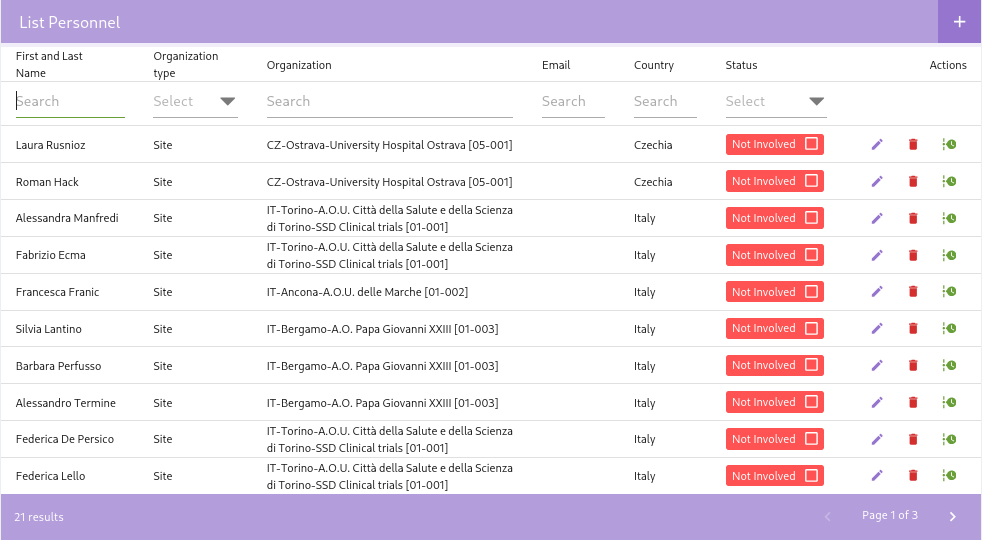
Add Personnel
To register a new personnel, you can press the "Add Personnel" button (identified by a + symbol) located at the top of the page.
A new dialog box will appear, prompting you to enter the details of the new personnel.
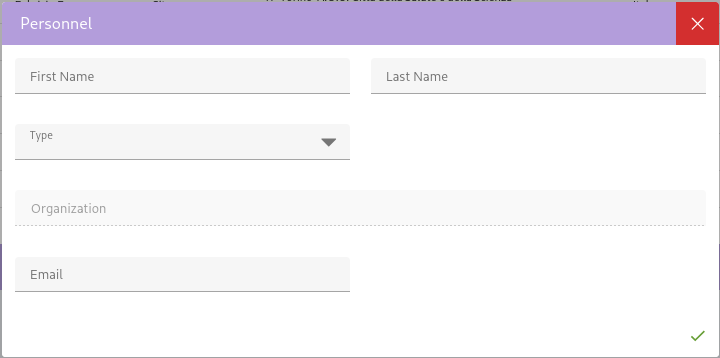
After entering the personnel details, click the Save button to create the new personnel.
Filter Personnel
It's possible to filter personnel by Name, Type, E-mail, Country, Organization and Status (Involved or Not Involved).
Note
Status is an automatically updated field based on the personnel's involvement in any protocol and has implications for regulatory processes. You cannot modify it manually.
Associate Personnel with Protocols
To associate a personnel with a protocol, you can navigate to the Protocol Personnel section.