Protocol Accounts
This feature allows you to manage Account associated with existing protocols and configure which protocol organizations are visible for each account. The system displays accounts with key information such as Account (username), Profile Name, and Status.
Note
This section is primarily intended for users with administrative roles responsible for managing protocol accounts and their associated permissions. Users without the View Protocol Permissions will not be able to view or access this section.
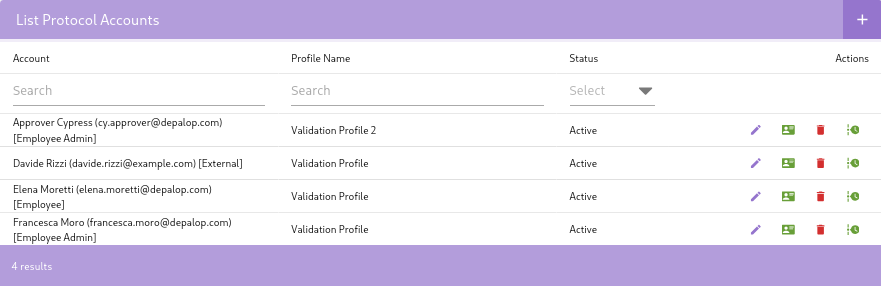
Add Protocol Accounts
This section describes how to add new user accounts associated with a protocol in eTMFlex, this gives access to the user to the protocol and its related data based on the assigned profile and permissions.
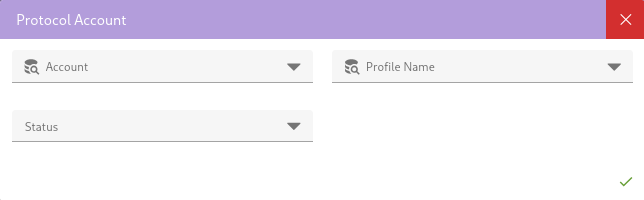
Each account is associated with a specific protocol and has a defined profile that determines the permissions and access level for that account. The status of the account (e.g., "Active" or "Disabled") indicates whether the account is currently enabled for use.
E-mail notification
After the successful creation of a new Protocol Account, the system automatically sends a notification email to the user associated with that account. This email includes a direct link to access the eTMF study and information about the granted access.
Organizations
This feature allows you to modify the visibility settings of organizations associated with a specific protocol account.
indicates the possibility of accessing these settings. This control is essential for defining the scope of data access.